
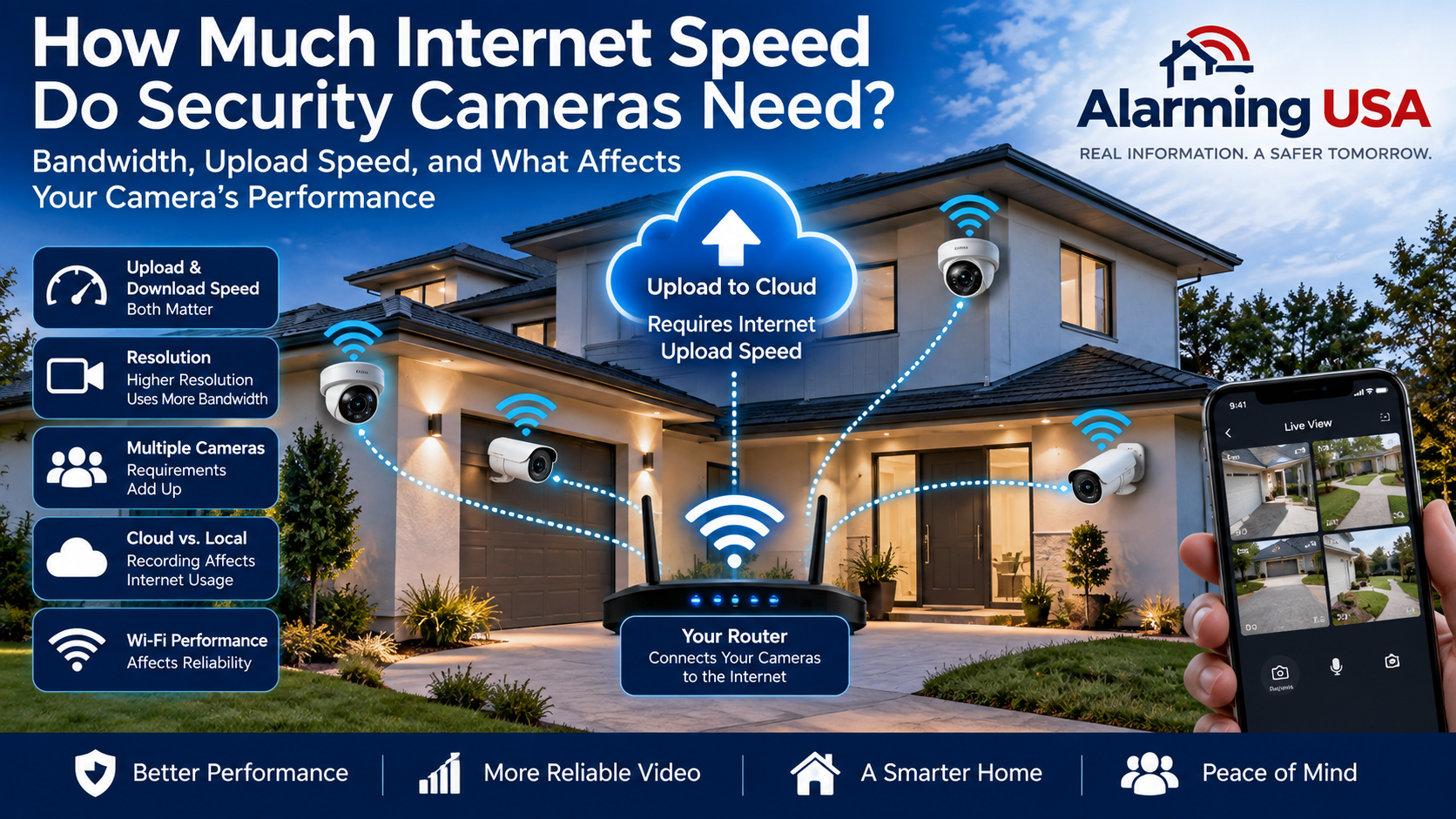
Security cameras depend on more than good placement and image quality. Network-connected cameras also need enough bandwidth to transmit video reliably. Understanding internet speed for security cameras can help you avoid slow live views, delayed notifications, interrupted uploads, and other performance problems.
The amount of internet bandwidth you need depends on the number of cameras, their resolution, frame rate, compression, recording method, and whether video is being uploaded to the cloud.
Do Security Cameras Use Download or Upload Speed?
For cloud-connected security cameras, upload speed is especially important. The camera must send video from your home network to servers on the internet.
Download speed also matters when you remotely view cameras or retrieve cloud recordings, but a fast download connection does not automatically mean you have equally fast upload capacity.
When evaluating your internet service, check both numbers rather than looking only at the advertised download speed.
How Much Bandwidth Does One Security Camera Use?
There is no single bandwidth requirement that applies to every camera. Video usage varies considerably between products and configurations.
Factors that can affect bandwidth include:
- Video resolution
- Frame rate
- Video compression
- Image complexity
- Continuous versus event-based recording
- Cloud versus local recording
- Audio transmission
- Multiple simultaneous viewers
The camera manufacturer’s specifications are the best place to determine the expected bandwidth requirements for a particular model.
Resolution Makes a Difference
Higher-resolution video generally requires more data than lower-resolution video when other settings are similar.
A 4K camera, for example, can require substantially more network and storage capacity than a lower-resolution camera. However, resolution alone does not determine bandwidth usage because compression, frame rate, scene activity, and camera settings also matter.
Choose resolution based on the detail you actually need rather than automatically selecting the highest available setting.
Frame Rate and Compression
Frame rate describes how many video frames are captured each second. Higher frame rates can create smoother motion, but they may also increase bandwidth and storage requirements.
Video compression reduces the amount of data required to transmit and store footage. The specific codec and camera implementation can significantly affect network usage.
This is why two cameras with the same resolution may not consume exactly the same amount of bandwidth.
Cloud Recording vs. Local Recording
Where your cameras record video can make a major difference in internet usage.
A camera that continuously uploads video to cloud storage can depend heavily on your internet connection. Event-based cloud recording may use less bandwidth because video is transmitted primarily when relevant activity occurs.
Locally recorded systems can operate differently. Cameras connected to a local network video recorder or other on-site storage may send most recording traffic across the local network rather than across your internet connection.
Remote viewing of those locally recorded cameras can still use internet bandwidth when you access the system away from home.
Multiple Cameras Add Up
One camera may have modest bandwidth requirements, but a multi-camera system can create considerably more network traffic.
If several cameras simultaneously upload video, their requirements need to be considered together.
Do not plan your connection around the requirements of only one camera if you intend to install several.
Your Other Devices Need Bandwidth Too
Security cameras are rarely the only devices using a home’s internet connection.
Streaming televisions, computers, smartphones, game systems, video calls, smart-home devices, backups, and software downloads all share available capacity.
Your connection therefore needs enough headroom for normal household activity in addition to the cameras.
Wi-Fi Speed Is Not the Same as Internet Speed
A fast internet plan cannot fix a weak Wi-Fi connection between a wireless camera and your router or access point.
Distance, walls, construction materials, interference, network congestion, and camera location can all affect wireless performance.
Before permanently installing a wireless camera, test connectivity at the actual mounting location. Our guide to security camera placement explains why network coverage should be considered before installation.
Would Wired Cameras Help?
A wired network connection can reduce reliance on Wi-Fi for compatible cameras.
Power over Ethernet, commonly called PoE, can also allow compatible equipment to carry network data and electrical power over Ethernet cabling.
That does not eliminate internet bandwidth requirements for cloud services or remote viewing, but it can provide a stable local connection between the camera and network equipment.
For a broader comparison, see our guide to wired vs. wireless security cameras.
How Can You Check Your Internet Connection?
Start by checking the internet plan provided by your service provider, paying particular attention to upload speed.
You can also perform speed tests from your network, but remember that results can vary depending on Wi-Fi conditions, network traffic, time of day, and the device being tested.
Testing near the intended camera location can also help identify local wireless problems that a speed test next to the router might miss.
What Happens When Bandwidth Is Limited?
Depending on the camera system, insufficient bandwidth or poor connectivity may contribute to delayed live video, reduced image quality, interrupted cloud uploads, slow playback, or inconsistent remote access.
Some systems can automatically adjust video quality when network conditions change, while others may require manual configuration.
If performance problems occur, check both the internet connection and the local network before assuming the camera itself is defective.
Protect Your Camera Network
Performance is important, but security matters too. Use strong, unique passwords for camera and security accounts, enable multi-factor authentication when available, and keep cameras, routers, apps, and related equipment updated.
The Federal Trade Commission provides additional consumer guidance on securing home security cameras and protecting access to video feeds.
How Much Internet Speed for Security Cameras Do You Need?
Instead of relying on one universal speed recommendation, calculate your needs using the specifications for the cameras you actually plan to install.
Consider the combined requirements of all cameras, whether they upload continuously or only during events, and how much bandwidth the rest of your household normally uses.
Leave additional capacity rather than planning to operate your connection at its limit.
Final Thoughts
Understanding internet speed for security cameras requires looking beyond a single number.
Camera resolution, compression, frame rate, recording method, number of cameras, Wi-Fi quality, and other devices on the network all affect performance.
Before purchasing equipment, check the manufacturer’s bandwidth recommendations, understand your internet plan’s upload capacity, and test connectivity where cameras will actually be installed. A little network planning can make a significant difference in how reliably your security cameras operate.
Comments are closed.