
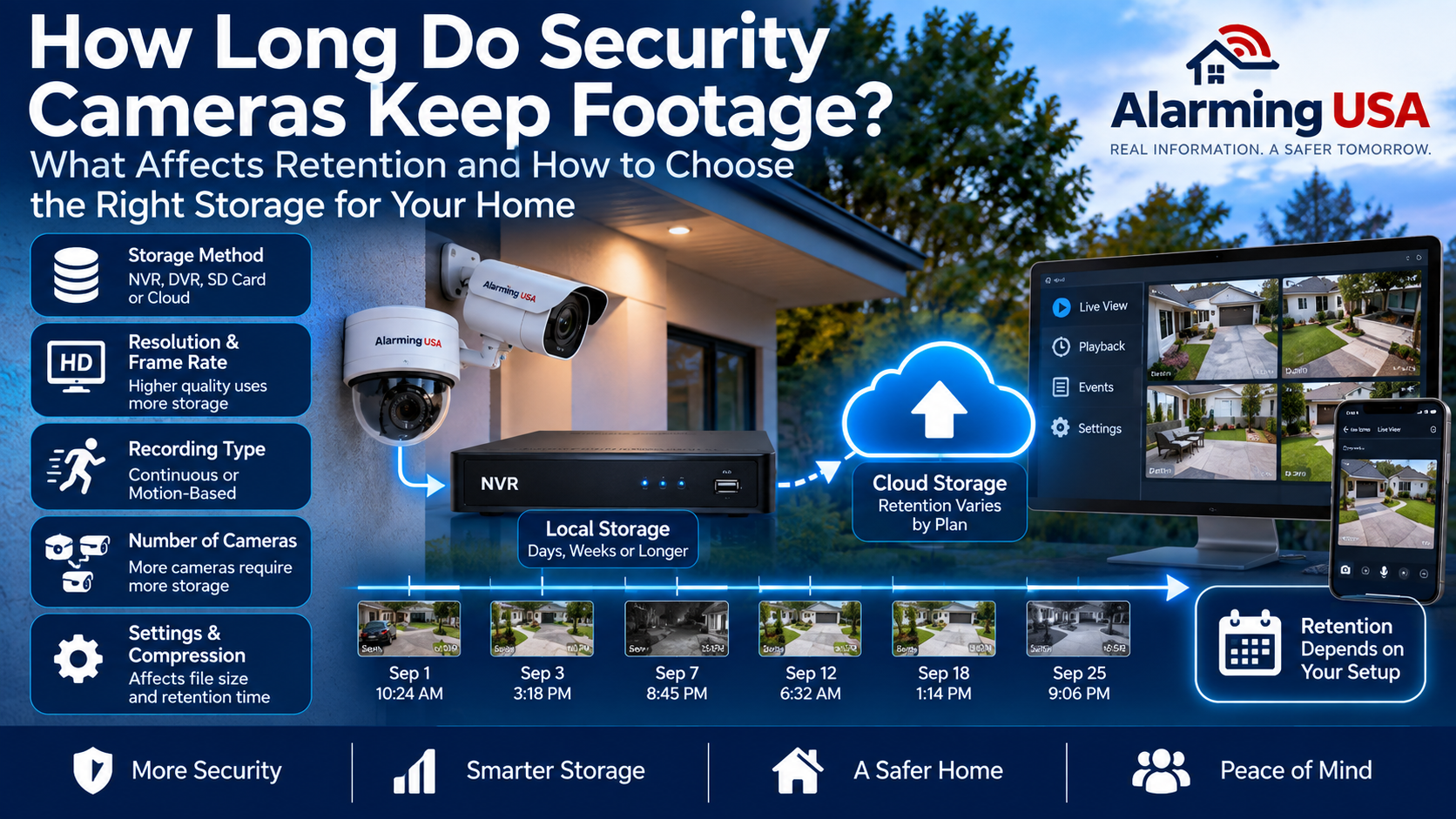
One of the most common questions homeowners ask about video surveillance is how long do security cameras keep footage? The answer depends on the camera system, recording method, available storage, video settings, and the way recordings are configured.
Some systems may retain only a limited amount of video, while others can store recordings for much longer. Understanding what affects retention can help you choose a system and configure it for the way you actually intend to use it.
How Long Do Security Cameras Keep Footage?
There is no universal retention period for security-camera recordings. A system may keep footage for days, weeks, or longer depending on its storage capacity and configuration.
The most important factors include the amount of available storage, number of cameras, video resolution, frame rate, compression, recording schedule, and whether cameras record continuously or only when activity is detected.
Where Is Security Camera Footage Stored?
Security-camera footage can be stored in several ways. The storage method affects both retention and how recordings are accessed.
- Network video recorders (NVRs)
- Digital video recorders (DVRs)
- Memory cards inside cameras
- Network-attached or other compatible local storage
- Cloud storage services
Some systems use more than one method. For example, a camera might record locally while also sending selected events to cloud storage.
What Happens When Storage Is Full?
Many video-surveillance systems can be configured to overwrite older recordings automatically when their allocated storage becomes full.
In that type of configuration, the system continues recording by replacing the oldest footage with newer video. The amount of history available therefore depends on how quickly the system consumes its storage capacity.
Other configurations may stop recording or require manual management when storage reaches its limit, so verify how your particular system behaves.
Continuous Recording Uses More Storage
A camera recording continuously creates video throughout the day and night. This can provide a consistent timeline, but it also consumes storage more quickly than recording only selected events.
With multiple cameras recording continuously, storage requirements can increase substantially.
If continuous recording is important to you, calculate storage requirements before purchasing the recorder or storage drives.
Motion and Event Recording Can Extend Retention
Event-based recording can reduce the amount of video stored by recording primarily when the system detects configured activity.
This may allow the same storage capacity to retain recordings for a longer period, although actual results depend on how frequently events occur.
A camera facing a busy street may generate much more event footage than a camera covering a quiet side entrance.
Video Resolution Affects Storage
Higher-resolution video generally requires more storage when other settings are similar.
Increasing resolution can provide additional image detail, but that detail comes with greater storage and potentially greater network requirements.
Choose resolution according to what each camera needs to accomplish rather than assuming every camera must use its maximum setting.
Frame Rate and Compression Matter Too
Resolution is only one part of the storage calculation. Frame rate and video compression can also significantly affect file sizes.
Higher frame rates can create smoother-looking motion but may require additional storage. Efficient video compression can reduce storage requirements while maintaining useful image quality.
Because camera models and recording systems differ, use the manufacturer’s specifications or storage calculator when planning a system.
How Multiple Cameras Affect Retention
Every additional camera contributes to the total amount of video being stored.
A storage drive that provides a long retention period for two cameras may retain considerably less history when eight cameras are recording to it under similar settings.
Plan storage based on the complete system rather than calculating requirements for only one camera.
Cloud Storage Retention
Cloud-connected cameras often use subscription plans that determine how long recordings remain available.
Retention periods and features vary between providers and plans. Some services may store only recorded events, while others may offer different recording options.
Before choosing a subscription, verify exactly what is stored, how long recordings remain available, whether retention changes by plan, and what happens if the subscription ends.
Local Storage Retention
With local recording, retention is generally influenced by the available storage and recording configuration rather than a cloud subscription’s retention period.
Local storage can provide substantial capacity, but the recorder and drives must be sized appropriately for the number of cameras and recording settings.
Local recording also does not necessarily eliminate internet usage. Remote viewing and other connected features may still use your internet connection. Our guide to internet speed for security cameras explains these network considerations in more detail.
Does Camera Placement Affect Storage?
Indirectly, it can. Camera placement affects what the camera sees and how frequently motion or other configured events occur.
A poorly positioned camera may capture constant movement from traffic, trees, shadows, or other activity, potentially generating unnecessary recordings.
Thoughtful security camera placement can improve useful coverage and may also reduce unwanted event recordings.
Can You Save Important Footage?
If a recording contains an event you need to preserve, do not assume it will remain on the system indefinitely.
Follow the manufacturer’s instructions for exporting or otherwise preserving important footage before the normal retention period expires or older recordings are overwritten.
If the recording may be needed for an official report, insurance matter, or another important purpose, preserve the original information and avoid unnecessary editing.
Protect Stored Camera Footage
Retention is only useful if recordings are appropriately protected. Use strong, unique passwords, enable multi-factor authentication when available, keep camera and recorder software updated, and limit account access to people who actually need it.
The Federal Trade Commission provides additional guidance on protecting security-camera feeds and recordings.
How Much Storage Do You Need?
Start with the retention period you want and work backward from there.
Consider the number of cameras, resolution, frame rate, compression, hours recorded each day, and whether recording is continuous or event-based.
Manufacturers and recorder vendors often provide storage-estimation tools for their equipment. These can provide a more useful estimate than relying on a generic storage number that may not match your configuration.
Review Retention Before You Need Footage
Do not wait until an incident occurs to discover how much recorded history your system actually keeps.
After installation, check the oldest available recording and verify that the system is retaining approximately the amount of history you expected.
Review the system again after adding cameras or changing resolution, frame rate, recording schedules, or other settings that can affect storage consumption.
Final Thoughts
So, how long do security cameras keep footage? It depends on the storage system and the way your cameras are configured.
Storage capacity, camera count, resolution, frame rate, compression, recording schedules, and cloud-service policies can all affect retention.
Rather than assuming your recordings will be available when you need them, determine your desired retention period, configure storage accordingly, and periodically verify how far back your actual recordings go.
1 thought on “How Long Do Security Cameras Keep Footage?”